Property maintenance software for accounts, sites, and proof
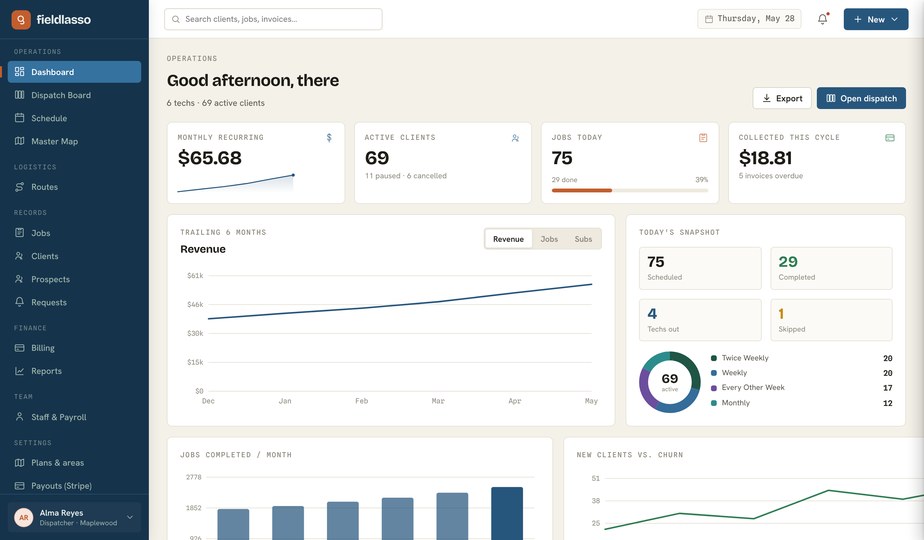
Every account's sites, site contacts, and work orders in one system — with cost centers and work order numbers on invoices, and photo proof from sites nobody attends.
No credit card required. Signup starts you on the Property Maintenance setup — you can change your business type later.
Who it's for
Property-maintenance companies serving management accounts across many sites.
The job to be done: Model accounts and their sites, prove unattended visits, and invoice the way commercial AP departments require.
Sound familiar?
The problems that eat evenings in a property maintenance business.
One account, twelve sites, endless confusion
A management company is one customer with a dozen properties. Flat customer lists turn that into twelve unrelated records.
Their AP department rejects your invoice
No cost center, no work order number, no payment. Commercial billing lives and dies on the references you put on the invoice.
Unattended sites need evidence
Nobody at the vacant property saw your crew show up. Timestamped photos and time-on-site records are the only witnesses.
Recurring site visits slip
Monthly walk-throughs and quarterly gutter runs across many sites can't depend on someone remembering each one.
How FieldLasso runs your day
Model accounts and their sites
Each account holds its sites, each with a site code, site contact, and access notes — the portfolio mirrored in your system.
Schedule recurring site visits
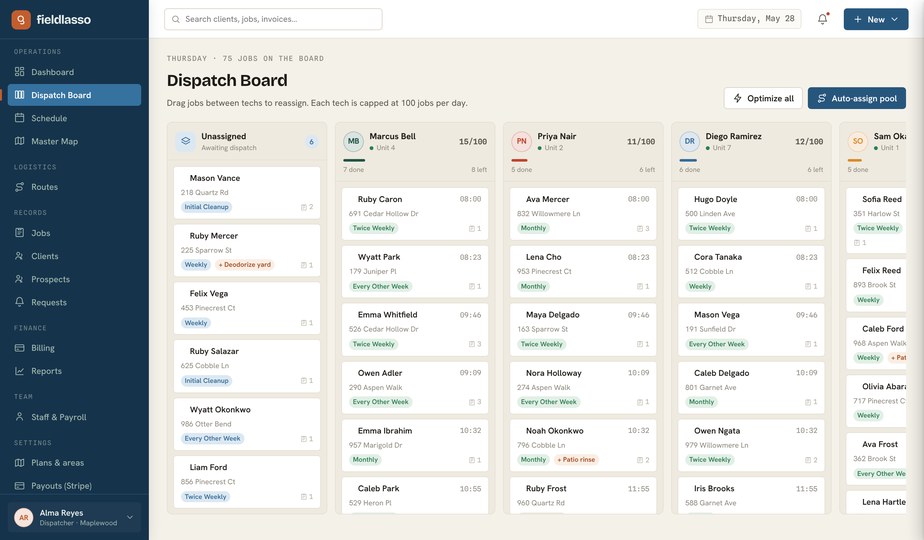
Put sites on recurring plans and work orders generate on schedule; drag them across crews on the dispatch board.
Capture proof at every site
Crews log time, mileage, photos, and notes per work order in the field app. Offline-safe entries stay attached to the site when they sync.
Invoice the way their AP wants
Invoices generate from completed work orders with cost center and work order number shown on them. Track revenue per account in reports.
Built for property maintenance
The Property Maintenance pack calls work orders what you call them, and the intake below is the real request and job fields the product asks for — not a generic feature list.
Site code
The account's own identifier for each property, on your records and theirs.
Site contact
Who to call at each site — the on-site manager, not the corporate switchboard.
Cost center
Shown on invoices so the account's AP can route the charge without emailing you back.
Work order number
Their number on your invoice — the reference that gets you paid on the first submission.
Starter template
Recurring site work order
A per-site work order on a recurring plan, with cost center and work order number on the invoice. Pricing is operator-confirmed.
You confirm every price during setup — FieldLasso never publishes a market rate for you.
Good fit / not a fit
The honest version — who FieldLasso is built for here, and who it is not.
A good fit if you are…
- Multi-site accounts under one management company
- Recurring site visits and unattended-property proof
- Commercial billing that needs cost centers and work-order numbers
Not the right tool for…
- Enterprise procurement or ERP with purchase-order approval chains
- Construction project accounting and change orders
Property-maintenance site intake checklist
What to capture per site — site code, site contact, access notes, and the account's required invoice references — before the first visit.
- Site code — The account's own identifier for each property, on your records and theirs.
- Site contact — Who to call at each site — the on-site manager, not the corporate switchboard.
- Cost center — Shown on invoices so the account's AP can route the charge without emailing you back.
- Work order number — Their number on your invoice — the reference that gets you paid on the first submission.
Free to use and print — no email required.
Where FieldLasso draws the line
What this pack does not do, so there are no surprises.
- Route help is a straight-line nearest-neighbor stop order you reorder by hand — not road- or traffic-aware optimization.
- Payroll and invoicing are built in, but totals don't push into separate bookkeeping software on their own.
Property Maintenance FAQ
Can one account have many sites?
Yes — accounts hold multiple sites, each with its own site code, site contact, and service history.
Can invoices include cost centers and work order numbers?
Yes. Both are invoice fields in the property maintenance pack and print directly on the invoice.
How do I prove work at unattended properties?
Crews capture timestamped photos and time on site in the field app — offline-safe — and the record stays attached to the work order.
Do recurring site visits schedule themselves?
Yes. Put a site on a recurring plan and work orders generate on schedule, ready to assign on the dispatch board.
What does FieldLasso cost?
Starter is $49/month, Pro is $149/month, and Scale is $299/month. Every plan starts with a 14-day free trial and no credit card is required to try it.
Source notes
Reviewed July 15, 2026. These sources establish market context and software intent only; they do not support a search-volume, market-share, competitor-performance, or pricing claim.
Related industries
No credit card required. Signup starts you on the Property Maintenance setup — you can change your business type later.