Mobile screen-repair software from measured openings to paid invoice
Capture screen count, types, room labels, measurement notes, repair scope, and mesh context; confirm quantities and options on a revised quote; then carry the accepted work through deposit, scheduling, proof, and invoicing.
No credit card required. Signup starts you on the Window & Door Screen Repair setup — you can change your business type later.
Who it's for
Owner-operators and small mobile screen-repair teams measuring and quoting window, door, and enclosure screens on site.
The job to be done: Keep each measured opening, quantity, material choice, revision, scheduled repair, proof record, and invoice attached to one operator-confirmed scope.
Sound familiar?
The problems that eat evenings in a window & door screen repair business.
Six openings become seven line items
Window, patio-door, and enclosure screens can share a property without sharing dimensions or scope. A structured count plus labeled measurements keeps the operator's confirmation visible when the quote changes.
Material choices get mistaken for recommendations
Screen type, mesh, frame material, frame color, repair, and replacement are operator decisions. Recording them as choices keeps the quote explicit without asking software to prescribe a material.
The first quote survives after the site visit
An on-site measurement can change quantity or scope. The current revision needs to supersede the earlier document so approval and deposit follow the measured work.
The repair record ends at the clipboard
The scheduled job, accepted lines, before-and-after proof, screens serviced, deposit credit, and remaining payment belong in one trail instead of a paper worksheet and separate invoice.
How FieldLasso runs your day
Capture structured screen context
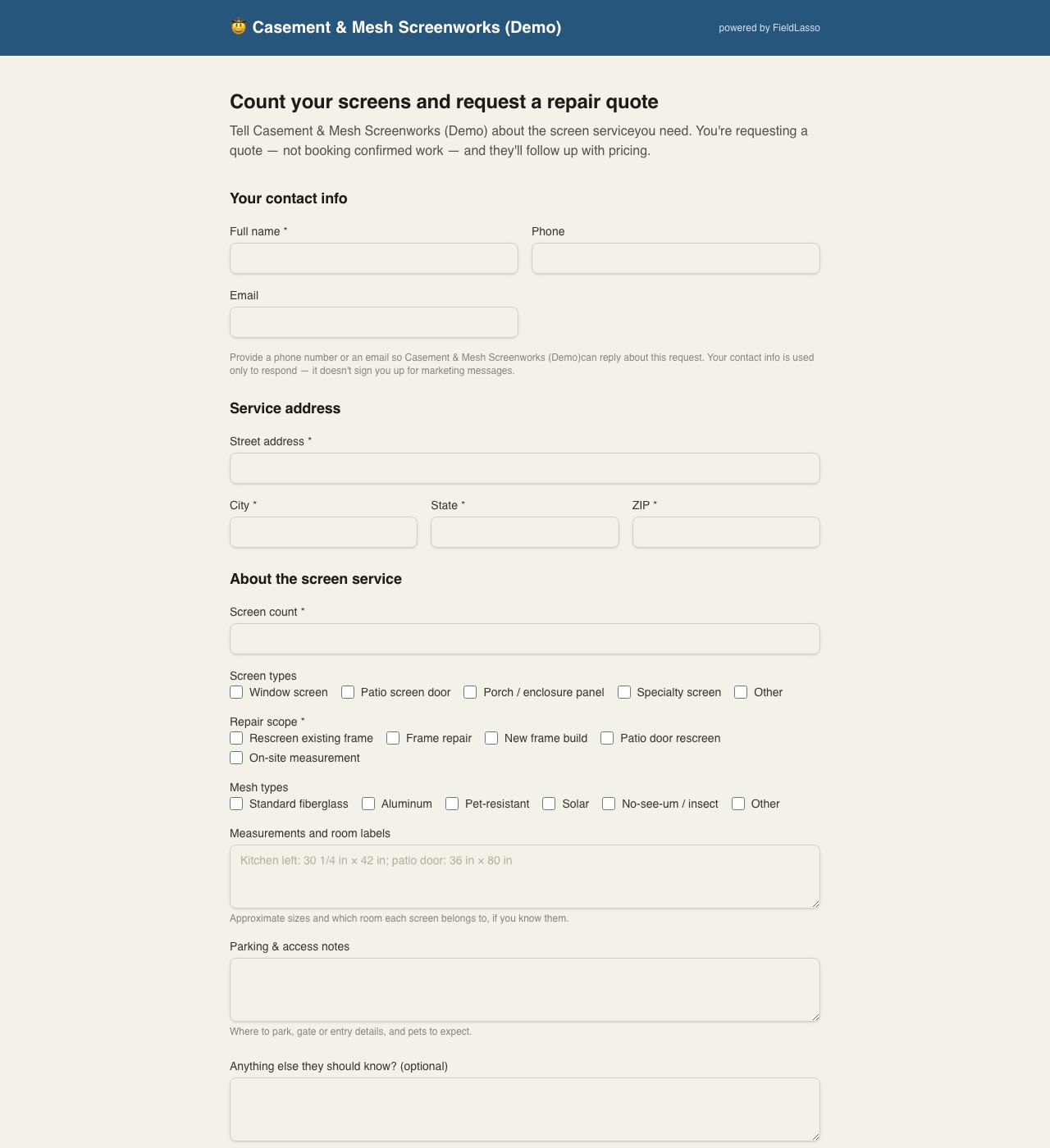
The branded request form collects screen count, screen types, requested repair scope, mesh context, free-text measurements with room labels, access notes, contact and service location, and optional photos. Those entries are context for operator review, not a diagnosis or price.
Confirm quantities, materials, and options
The operator applies an unpriced rescreen, new-frame, or patio-door quote document; confirms each measured quantity; chooses the screen, frame, mesh, repair/replacement, and optional lines; and enters every price.
Revise, approve, deposit, and schedule
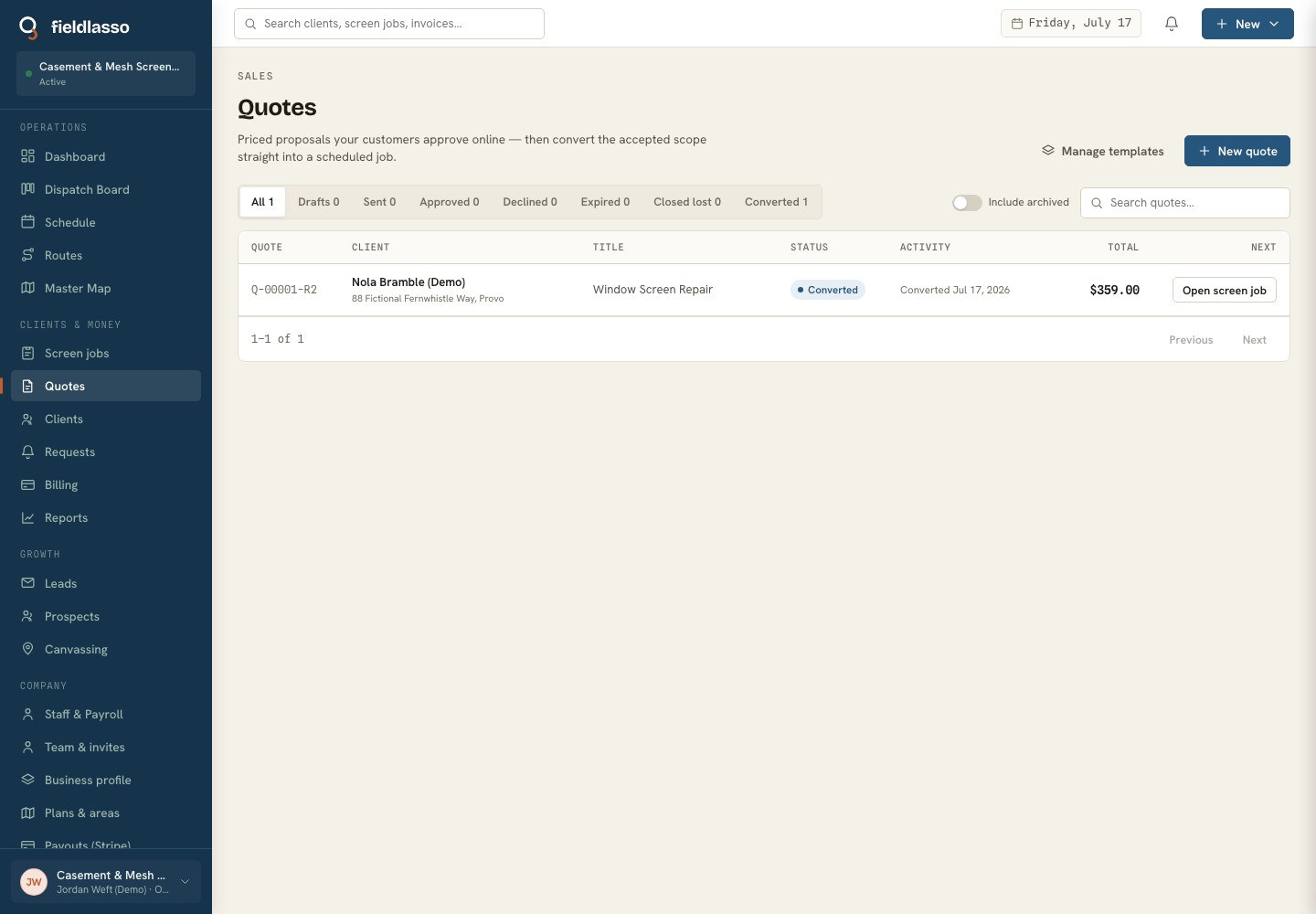
A measured revision supersedes the earlier quote. The customer approves the current selected scope online, an operator-configured deposit can be collected, and the accepted quote converts once into a scheduled screen job.
Prove the repair and invoice the accepted scope
The field job carries the accepted lines and confirmed screen details, requires the configured before-and-after proof, and produces an invoice that can name the screens serviced, credit the deposit once, and record the remaining payment.
Built for window & door screen repair
The Window & Door Screen Repair pack calls screen jobs what you call them, and the intake below is the real request and job fields the product asks for — not a generic feature list.
Screen count
A required whole-number quantity on the public request and customer-visible job context; the operator confirms it before quoting.
Screen types
Window screen, patio screen door, porch or enclosure panel, specialty screen, or other — selected as request context.
Repair scope
Rescreen, frame repair, new frame, patio-door rescreen, or on-site measurement — the operator decides what belongs on the quote.
Mesh types
Customer-requested or operator-confirmed mesh context recorded without a material recommendation.
Frame material
An operator field for aluminum, vinyl, wood, unknown, or other after the frame is reviewed.
Frame color
Operator-observed color stored with the screen job instead of inferred from a photo.
Measurements and room labels
Free-text sizes such as kitchen left or patio door. The text never sets quantity or price automatically.
Parking & access notes
Where to park, how to enter, and pets or gates the crew should expect at the property.
Screens serviced
Operator-authored invoice wording that describes the completed screen scope.
Starter template
Standard window rescreen
An unpriced, quantity-based window-rescreen line with optional pet-resistant mesh, solar or insect mesh, frame repair, and measurement or service-call lines. New-frame and patio-door documents are included separately; the operator confirms every selection, quantity, and price.
You confirm every price during setup — FieldLasso never publishes a market rate for you.
Good fit / not a fit
The honest version — who FieldLasso is built for here, and who it is not.
A good fit if you are…
- Mobile operators measuring several window or door screens at one property
- Small teams that confirm quantities and material options before sending a quote
- Businesses that revise an on-site scope before taking a deposit and scheduling
Not the right tool for…
- Window manufacturers needing fabrication, cut-list, or inventory software
- Operators who want software to diagnose repairability, choose mesh or frame materials, or generate a market price from dimensions
Screen-repair measurement and quote worksheet
A printable, shareable worksheet for multiple screens, dimensions, room labels, repair or replacement assumptions, screen/frame/mesh choices, quantity, optional upgrades, notes, and operator-entered prices — with no email gate or market-rate defaults.
- Screen count — A required whole-number quantity on the public request and customer-visible job context; the operator confirms it before quoting.
- Screen types — Window screen, patio screen door, porch or enclosure panel, specialty screen, or other — selected as request context.
- Repair scope — Rescreen, frame repair, new frame, patio-door rescreen, or on-site measurement — the operator decides what belongs on the quote.
- Mesh types — Customer-requested or operator-confirmed mesh context recorded without a material recommendation.
- Frame material — An operator field for aluminum, vinyl, wood, unknown, or other after the frame is reviewed.
- Frame color — Operator-observed color stored with the screen job instead of inferred from a photo.
- Measurements and room labels — Free-text sizes such as kitchen left or patio door. The text never sets quantity or price automatically.
- Parking & access notes — Where to park, how to enter, and pets or gates the crew should expect at the property.
- Screens serviced — Operator-authored invoice wording that describes the completed screen scope.
Free to use and print — no email required.
Free window & door screen repair tools
- Screen-repair measurement & quote worksheetRecord multiple screen dimensions, room labels, scope, quantity, frame and mesh choices, optional upgrades, notes, and operator-entered prices — with no signup or market-rate defaults.
Free to use and print — no email required.
Where FieldLasso draws the line
What this pack does not do, so there are no surprises.
- Measurements, room labels, condition notes, and photos are customer/operator-entered quote context. FieldLasso doesn't diagnose repairability, verify a measurement, or turn dimensions into a price.
- Screen, frame, mesh, repair/replacement, upgrade, and quantity choices stay with the operator. The included quote documents have no market prices, and every price is entered before sending.
- One accepted quote converts into one job today; multi-visit fabrication projects and production cut lists are not a separate project workflow.
- Payroll and invoicing are built in, but totals don't push into separate bookkeeping software on their own.
Window & Door Screen Repair FAQ
What screen details can a customer send before an on-site measurement?
The public request can collect screen count, types, requested repair scope, mesh context, room-labeled measurement notes, access notes, service address, contact details, and optional photos. The operator still verifies dimensions, repairability, scope, materials, quantity, and price.
Can one quote carry several measured screens and quantities?
Yes. Quote lines support whole or decimal quantities, and the screen flow explicitly carries the intake count into operator confirmation. The operator can use separate lines when dimensions, screen type, mesh, frame, or repair scope differ.
How does a site measurement change an already-sent quote?
Create a revision with the confirmed openings, quantities, and options. The new revision supersedes the earlier document, and online approval, any configured deposit, job conversion, and invoicing follow the accepted current scope.
Does FieldLasso decide whether to repair a frame or which mesh to use?
No. The product records the customer context and operator's repair/replacement, mesh, frame, upgrade, quantity, and price decisions. It does not diagnose a screen, recommend a material, verify measurements, or calculate a market rate.
What does FieldLasso cost?
Starter is $49/month, Pro is $149/month, and Scale is $299/month. Every plan starts with a 14-day free trial and no credit card is required to try it.
Source notes
Reviewed July 17, 2026. These sources establish market context and software intent only; they do not support a search-volume, market-share, competitor-performance, or pricing claim.
Related industries
No credit card required. Signup starts you on the Window & Door Screen Repair setup — you can change your business type later.